Image generationDirect generationFeatured

Process-visible mixed-media portrait director

Turn an original or authorized portrait subject into a warm-paper mixed-media study with a refined face, visible construction lines, and intentionally unfinished edges.

Process-visible mixed-media portrait director
Editorial review

Why this prompt is useful

Use this for character concepts, author portraits, and editorial illustration; explicitly naming the refined and process-visible zones produces a stronger finish gradient. Confirm likeness rights before using a real person, then manually inspect facial anatomy, hands, and the unfinished edges.

Copyable template

Complete image prompt

Replace the bracketed placeholders first, then adapt parameters for your tool. Do not invent missing dimensions, rights, or identity details.

Act as an original mixed-media portrait art director. Create one finished 4:5 vertical portrait in which a carefully resolved face and the visible process of drawing remain equally intentional. Inputs: - Subject: {an original fictional adult, or an adult likeness the user has the right to use; appearance and clothing} - Pose and mood: {front, three-quarter, or profile; calm, determined, reflective, or another clear mood} - Crop: {head and shoulders, bust, or half body} - Paper ground: {warm ochre, brick red, smoky brown, or another muted tone} - Accent colors: {two or three complementary warm and cool hues} - Refined zone: {default to the face, eyes, neck, and one clothing detail} - Process-visible zone: {shoulders, arms, garment hem, or outer background edges} Build the image with these requirements: 1. Rights and safety: use only an original fictional subject or a likeness the user is clearly authorized to use. Do not copy a real person's identity, a public figure, a protected character, a brand mark, or a living artist's recognizable style. If authorization is uncertain, substitute an original fictional adult. 2. Composition: let the subject occupy roughly 60% to 75% of the frame, with the eyes near the upper third and enough negative space to read as editorial art. Keep the head, neck, shoulders, and torso anatomically coherent. If hands are visible, show complete, structurally plausible gestures. 3. Finish gradient: resolve the face, eyes, and neck with layered brushwork and restrained color transitions. Reduce detail gradually beyond the collarbone or shoulder line so clothing, limbs, and edges dissolve naturally instead of ending in a hard crop. 4. Material language: combine graphite construction lines, ink contours, cross-hatching, dry brush, translucent color blocks, and a few paper abrasions. Retain a small number of guide circles, proportion marks, and corrected strokes, but keep loose marks away from pupils, the mouth, and essential contours. 5. Light and color: use one soft key light and one low-intensity fill with the opposite color temperature. Let the warm paper ground participate in shadows while keeping skin or surface color credible. Avoid plastic rendering, uncontrolled neon, and inconsistent shadows. 6. Background: keep a single paper ground supported by sparse color fields, fading outlines, and a few gestural marks. Add no literal location, text, logo, border, photo collage, or decorative patterned wall. 7. Quality check: align both eyes, preserve believable facial proportions, and avoid over-smoothed surfaces. Make the transition between refined and unfinished zones legible. Keep lines and color blocks readable at thumbnail size. Produce no watermark, signature, random lettering, or multi-panel layout. Avoid minors, sexual content or nudity, gore, injury, real-person impersonation, political or military insignia, weapons, trademarks, protected characters, extra people, duplicated features, malformed fingers, broken limbs, floating clothing, blown highlights, a pure studio-photo look, plastic 3D rendering, uniformly polished treatment, uniformly rough sketching, random letters, and watermarks. Return one complete image, not a contact sheet, before-and-after comparison, or step collage.
Generated references

3 generated reference examples

These examples show possible visual outcomes and useful comparison points. Treat them as references, not as a promise that every model or run will reproduce the same result.
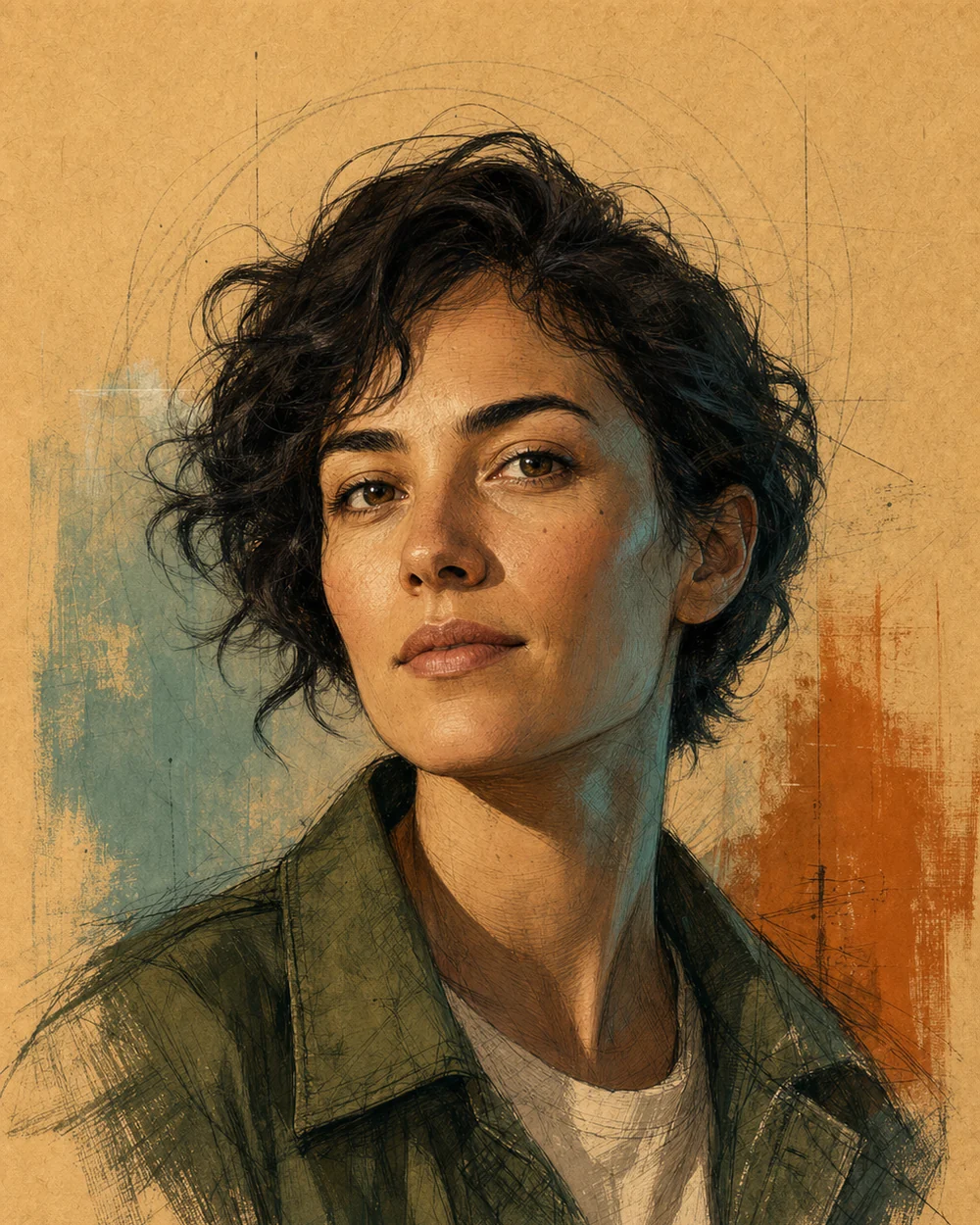
Validates an ochre paper ground, teal-orange contrast, a refined face, and process marks that dissolve naturally through the shoulders.Generated example

Ochre urban botanist

Validates an ochre paper ground, teal-orange contrast, a refined face, and process marks that dissolve naturally through the shoulders.

View full image
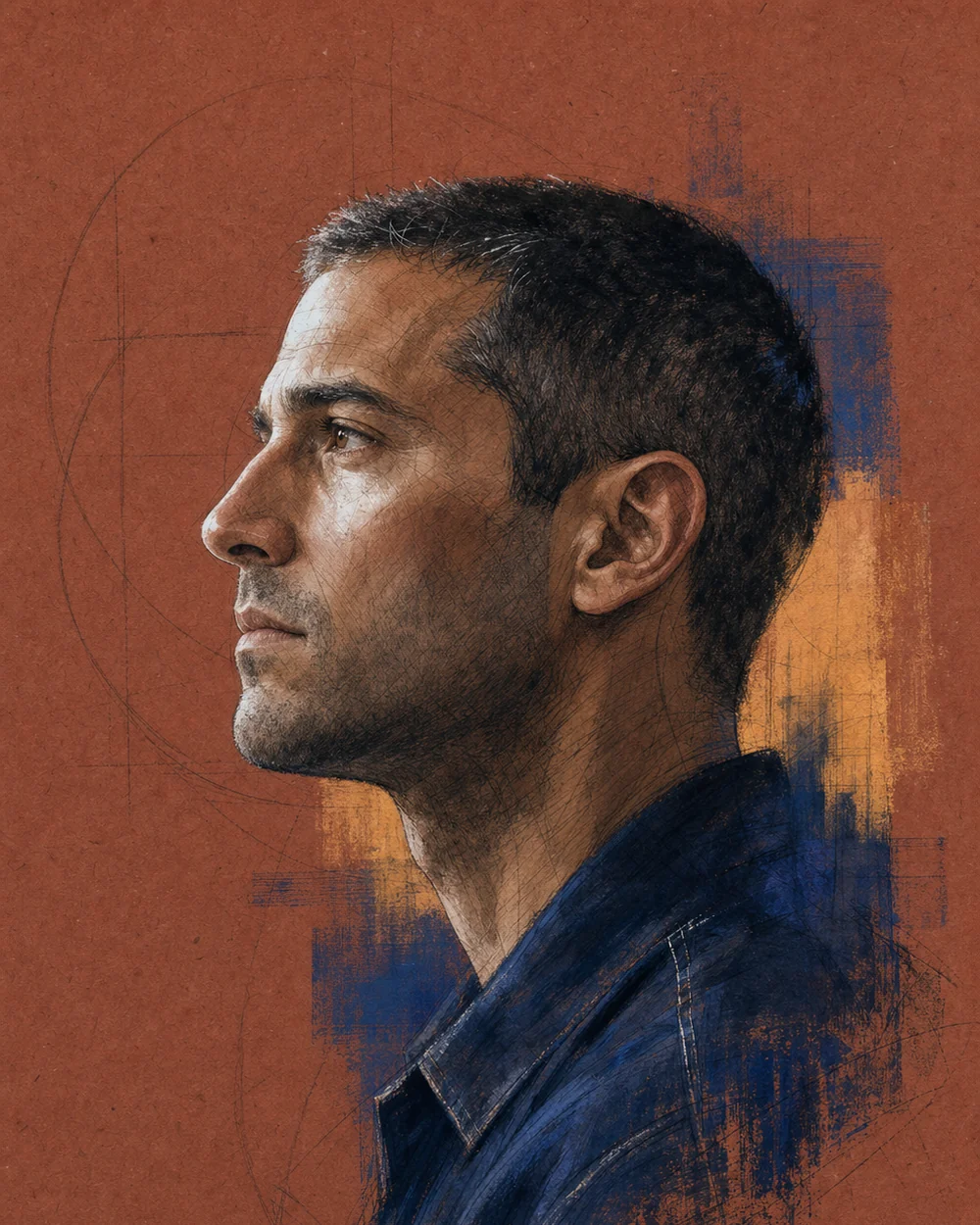
Validates a coherent side profile, brick-red and cobalt color system, and a controlled finish gradient through the collar edge.Generated example

Brick-red ceramicist profile

Validates a coherent side profile, brick-red and cobalt color system, and a controlled finish gradient through the collar edge.

View full image
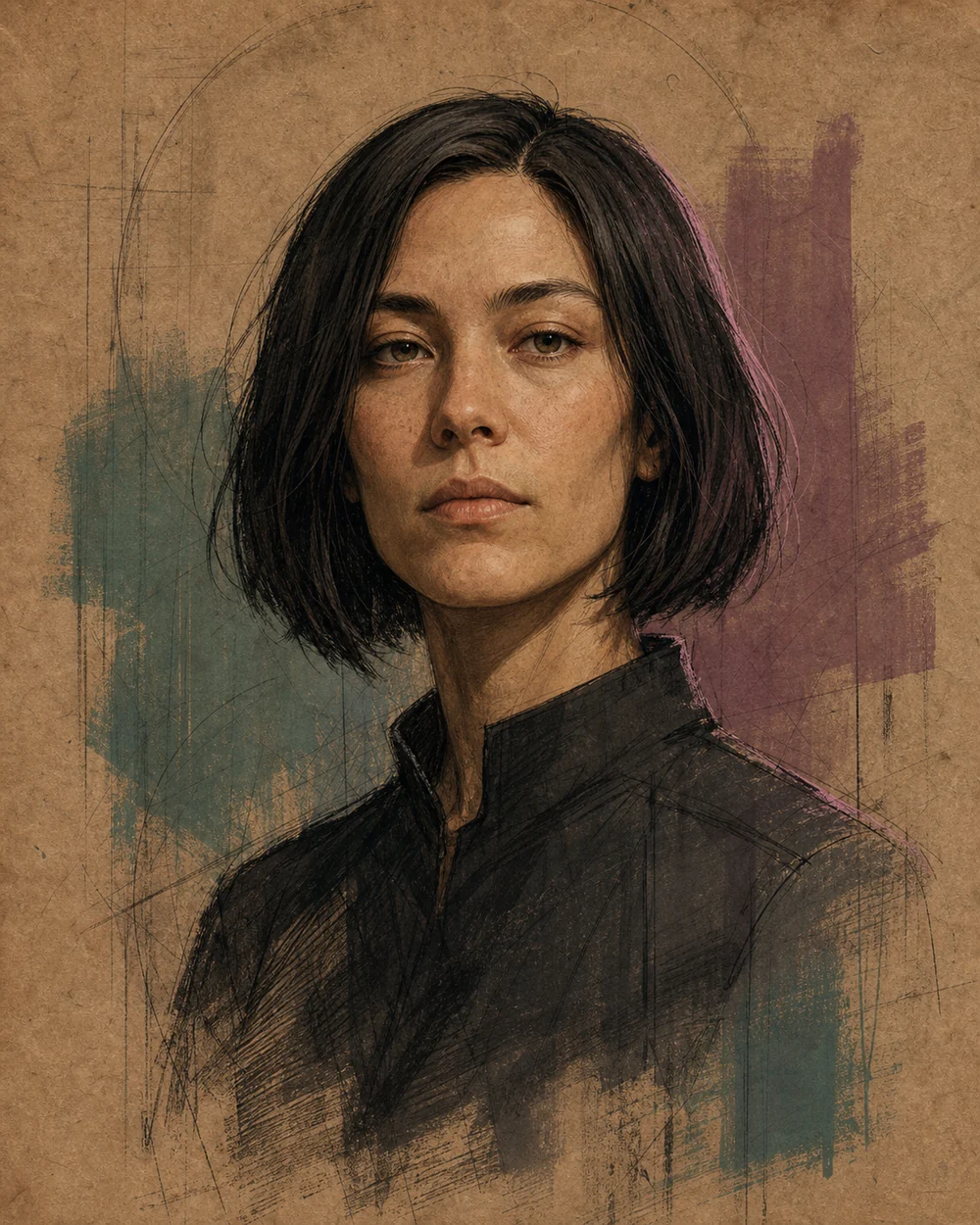
Validates a centered frontal composition, muted viridian-mauve fields, and a fully visible unfinished lower edge.Generated example

Smoky-brown sound archivist

Validates a centered frontal composition, muted viridian-mauve fields, and a fully visible unfinished lower edge.

View full image

Reference images were generated for AI Prompt Card. Results vary by model, settings, seed, and the details you provide.

How to use it

From visual idea to usable image

  1. 1

    Complete the visual inputs

    State the subject, setting, use, format, and details that must remain or must not appear.

  2. 2

    Generate and inspect

    Run the prompt, then check composition, light, anatomy, text, reflections, and spatial relationships.

  3. 3

    Change one variable at a time

    Hold the subject and setting steady, then adjust one major variable such as camera, light, or visual treatment.

Prompt anatomy

What a reliable image prompt controls

Subject and action

Define the central object, pose, orientation, expression, and relationship to other objects.

Setting and space

Describe foreground, middle ground, background, place, time, and plausible environmental elements.

Composition and camera

Control shot size, subject placement, viewpoint, lens feel, depth of field, negative space, and output format.

Light, material, and color

Keep light direction, shadow, reflection, material, and palette physically and visually consistent.

Negative constraints and boundaries

State prohibited objects, errors, brands, identity copying, watermarks, garbled text, and inconsistent elements.

Frequently asked questions

Can I paste these prompts directly into an image generator?

Check the working-method label first. Direct-generation prompts can go into a compatible tool; prompt-builder templates should be completed in an AI assistant to produce the final image prompt.

Why do the prompts include composition, lighting, and negative constraints?

Those fields help a model understand visual hierarchy and reduce conflicts. Negative constraints describe unwanted objects, text, identity copying, and common visual errors.

What should I consider when using real people or reference images?

Confirm that you have the necessary rights and consent. Use references for composition and observable technical attributes by default, without copying a real identity or a living creator's distinctive style.

Inspiration source

This prompt is an original adaptation. The source X post appears below, and you can also open it directly on X.

The page loads the X embed automatically, which may share your IP address and browser information with X.
Open original on X

Loading the X post…

Keep exploring
View all image prompts