Image generationDirect generationFeatured

Narrative-signal book-cover director

Compress a story's emotional turn, central conflict, and distinctive motifs into one original 2:3 book cover with thumbnail clarity, disciplined typography, and explicit rights boundaries.

Narrative-signal book-cover director
Editorial review

Why this prompt is useful

Use this to turn an original synopsis, visual motifs, and a short title into an executable cover-image brief. Provide a verifiable title and rights boundary; the result still needs human review for spelling, similarity, and print-safe margins and is not a substitute for copyright or trademark clearance.

Copyable template

Complete image prompt

Replace the bracketed placeholders first, then adapt parameters for your tool. Do not invent missing dimensions, rights, or identity details.

Act as an original book-cover visual director. Convert the story material I provide into one polished 2:3 vertical cover. Return only the finished image, with no analysis, variants, process diagram, or prompt text. Inputs: - Title: {an original or authorized title that must appear verbatim} - Author credit: {an original pen name, an authorized name, or blank for no credit} - Genre and audience: {genre, intended readers, and desired reading emotion} - Story core: {one sentence naming the protagonist, desire, obstacle, and cost without unauthorized protected characters} - Emotional turn: {the most important emotional change from beginning to end} - Narrative motifs: {one to three original objects, places, natural phenomena, or abstract symbols} - Visual boundary: {allowed colors, materials, period, medium, and explicit exclusions} - Release context: {ebook thumbnail, paperback, hardcover, or promotional art} Execution rules: 1. Internally extract three signals: the central conflict, emotional turn, and distinctive motif. Make only the most recognizable signal the primary visual and keep one or two as supporting clues. Do not illustrate the synopsis as a checklist of scenes. 2. Build a hierarchy that works from far to near: at thumbnail size, the primary visual and title read first; at medium size, the genre mood becomes clear; close inspection reveals material, metaphor, and detail. Keep the main silhouette complete with safe margins on every edge. 3. Choose one original visual language that fits the genre, such as restrained photography, paper cut, printmaking, collage, hand drawing, or tactile illustration. Describe concrete color, texture, edges, space, light, and print feel. Do not imitate a living creator or copy an existing cover, brand, or series identity. 4. Use only the supplied text. Render the title verbatim, legibly, and without covering the primary visual. Show the author credit only when the input is not blank. Add no subtitle, award, bestseller badge, review, publisher mark, price, barcode, or random characters. 5. Limit the palette to one dominant color, one supporting color, and one accent. Light and material must serve the narrative rather than decoration. If motifs compete, keep the one that best communicates the emotional turn and remains stable at thumbnail size. 6. Rights and safety: use only original or explicitly authorized titles, names, characters, and visual assets. Do not include real people, minors, public figures, protected characters, trademarks, imitation packaging, political or military symbols, weapons, injury, illegal activity, sexual content, or nudity. When provenance or permission is unclear, replace the element with an original non-person symbol. 7. Before finishing, check title spelling, author credit, 2:3 ratio, thumbnail recognition, focal point, margins, contrast, print-safe area, shadow consistency, material credibility, and rights boundaries. Remove any nonessential text that cannot be rendered accurately. Avoid multi-panel layouts, physical book mockups, angled covers, hands holding a book, room displays, spines, back covers, random text, gibberish, repeated titles, logos, watermarks, signatures, imitation bestseller styling, protected characters, real people, public figures, political or military symbols, weapons, injury, illegal activity, sexual content, nudity, weak contrast, crowded edges, conflicting light, and cheap stock-asset appearance. Return one completed front-facing cover with no perspective distortion.
Generated references

3 generated reference examples

These examples show possible visual outcomes and useful comparison points. Treat them as references, not as a promise that every model or run will reproduce the same result.
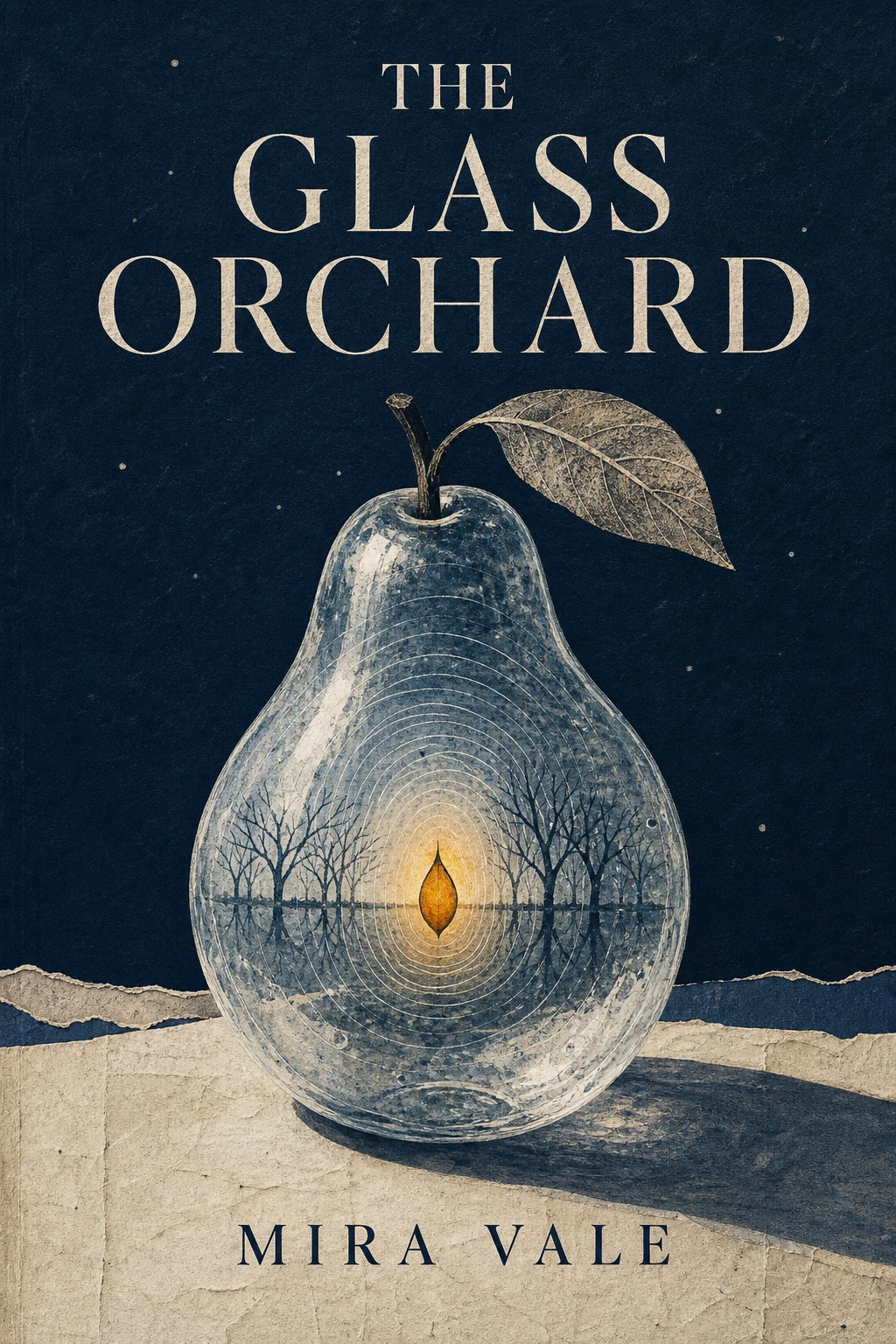
Uses a glass pear, amber seed, and print-collage treatment to validate one primary motif, a short title, and thumbnail hierarchy.Generated example

The Glass Orchard

Uses a glass pear, amber seed, and print-collage treatment to validate one primary motif, a short title, and thumbnail hierarchy.

View full image
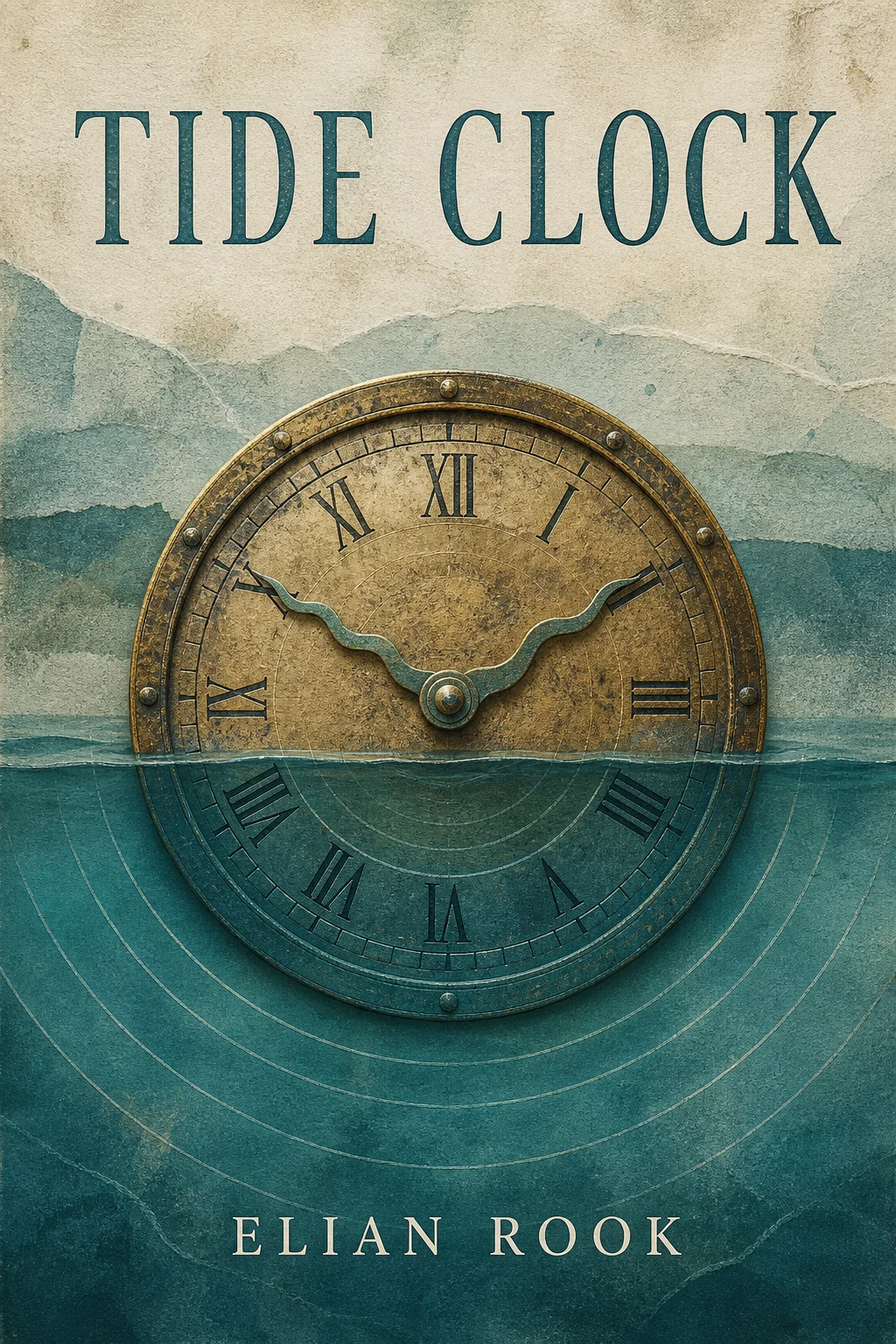
Uses a half-submerged brass clock and one tide line to validate material storytelling, a restrained palette, and clear safe margins.Generated example

Tide Clock

Uses a half-submerged brass clock and one tide line to validate material storytelling, a restrained palette, and clear safe margins.

View full image
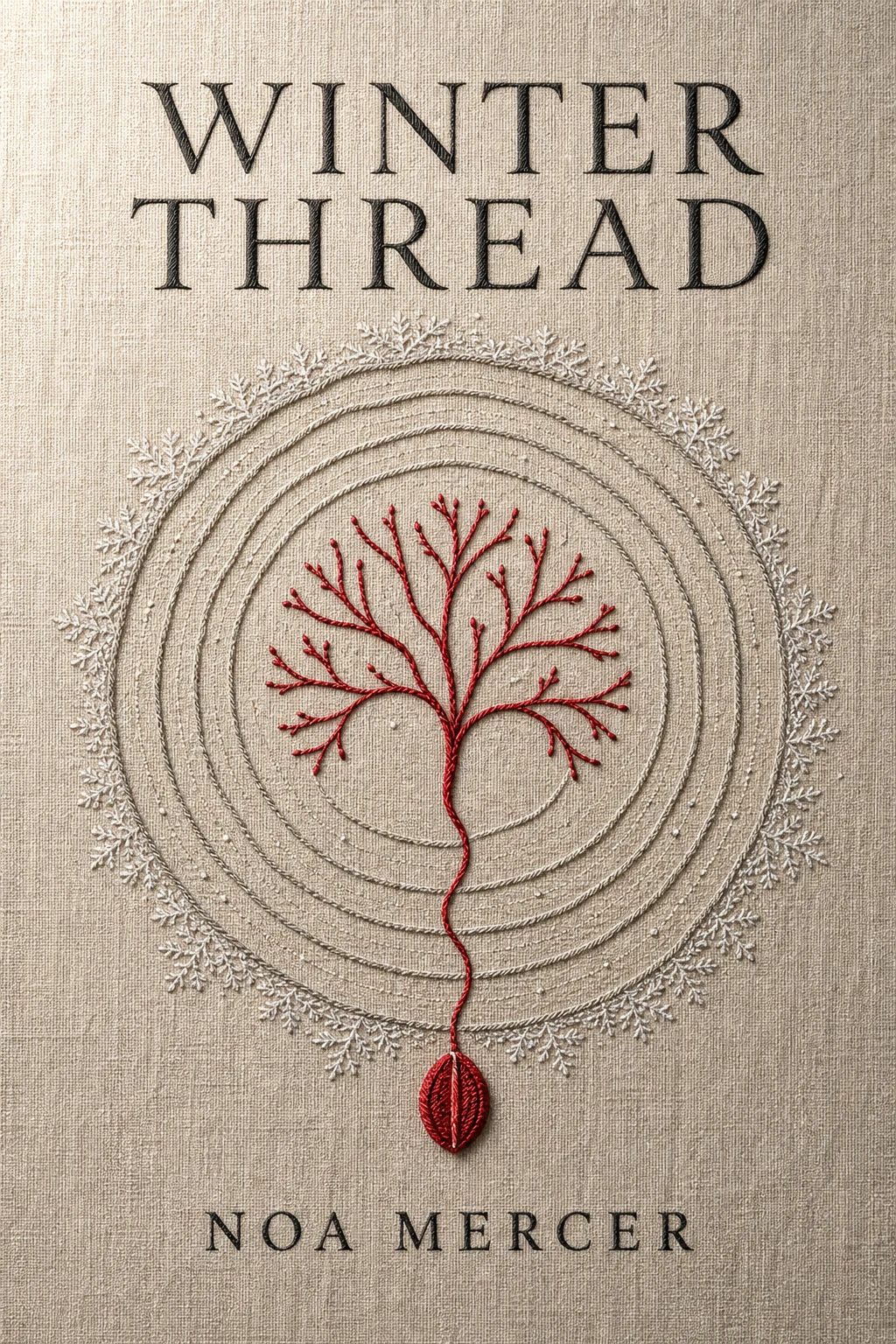
Uses linen embroidery, tree rings, and one red thread to validate tactile media, an emotional turn, and an original non-person symbol.Generated example

Winter Thread

Uses linen embroidery, tree rings, and one red thread to validate tactile media, an emotional turn, and an original non-person symbol.

View full image

Reference images were generated for AI Prompt Card. Results vary by model, settings, seed, and the details you provide.

How to use it

From visual idea to usable image

  1. 1

    Complete the visual inputs

    State the subject, setting, use, format, and details that must remain or must not appear.

  2. 2

    Generate and inspect

    Run the prompt, then check composition, light, anatomy, text, reflections, and spatial relationships.

  3. 3

    Change one variable at a time

    Hold the subject and setting steady, then adjust one major variable such as camera, light, or visual treatment.

Prompt anatomy

What a reliable image prompt controls

Subject and action

Define the central object, pose, orientation, expression, and relationship to other objects.

Setting and space

Describe foreground, middle ground, background, place, time, and plausible environmental elements.

Composition and camera

Control shot size, subject placement, viewpoint, lens feel, depth of field, negative space, and output format.

Light, material, and color

Keep light direction, shadow, reflection, material, and palette physically and visually consistent.

Negative constraints and boundaries

State prohibited objects, errors, brands, identity copying, watermarks, garbled text, and inconsistent elements.

Frequently asked questions

Can I paste these prompts directly into an image generator?

Check the working-method label first. Direct-generation prompts can go into a compatible tool; prompt-builder templates should be completed in an AI assistant to produce the final image prompt.

Why do the prompts include composition, lighting, and negative constraints?

Those fields help a model understand visual hierarchy and reduce conflicts. Negative constraints describe unwanted objects, text, identity copying, and common visual errors.

What should I consider when using real people or reference images?

Confirm that you have the necessary rights and consent. Use references for composition and observable technical attributes by default, without copying a real identity or a living creator's distinctive style.

Inspiration source

This prompt is an original adaptation. The source X post appears below, and you can also open it directly on X.

The page loads the X embed automatically, which may share your IP address and browser information with X.
Open original on X

Loading the X post…

Keep exploring
View all image prompts